37 shapes, zero filler
Spheres, ovals, domes, hearts, knots, spires and more. Every shape is parametric — dial in the size instead of hunting for a fixed blueprint.
37 shapes · Minecraft 26.3 textures
Build spheres, ovals, domes and unhinged wizard spires with real textures, half-slab curves and layer-by-layer blueprints. Then export straight to your world.
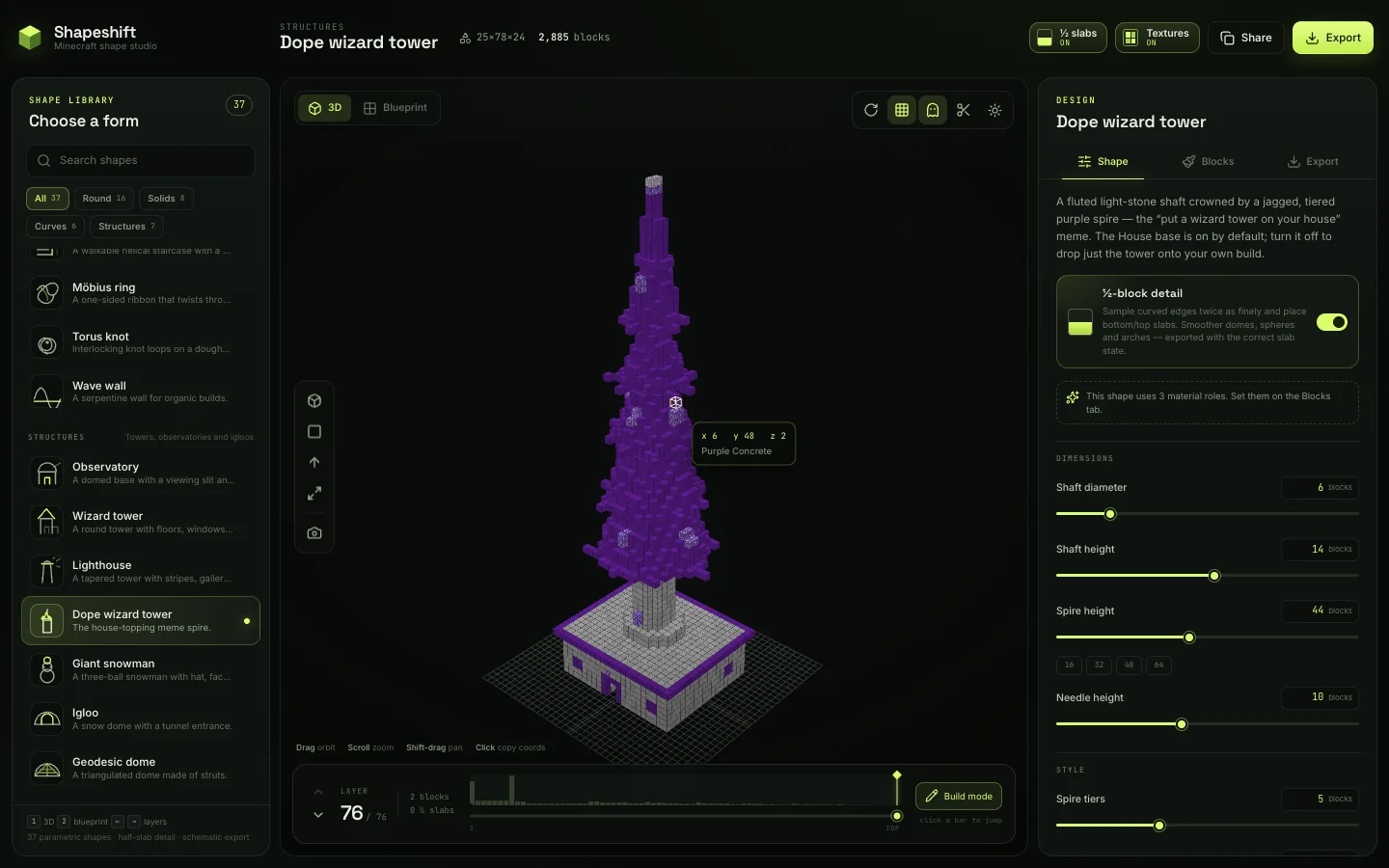
Why Shapeshift
Most shape tools give you a pretty preview and a count. Shapeshift gives you the curve, the slab, the layer plan and the file — without leaving the browser.
Spheres, ovals, domes, hearts, knots, spires and more. Every shape is parametric — dial in the size instead of hunting for a fixed blueprint.
Curves are sampled twice per block and become bottom or top slabs where they cut through. The silhouette gets smoother; the export keeps the exact slab state.
Flip on the latest Minecraft 26.3 block textures and preview your palette before you place a block. Textures load at runtime; flat colours remain the offline fallback.
Build mode, ghosted future layers, section cuts, an aligned top view and a layer timeline. Stop eyeballing the y-axis.
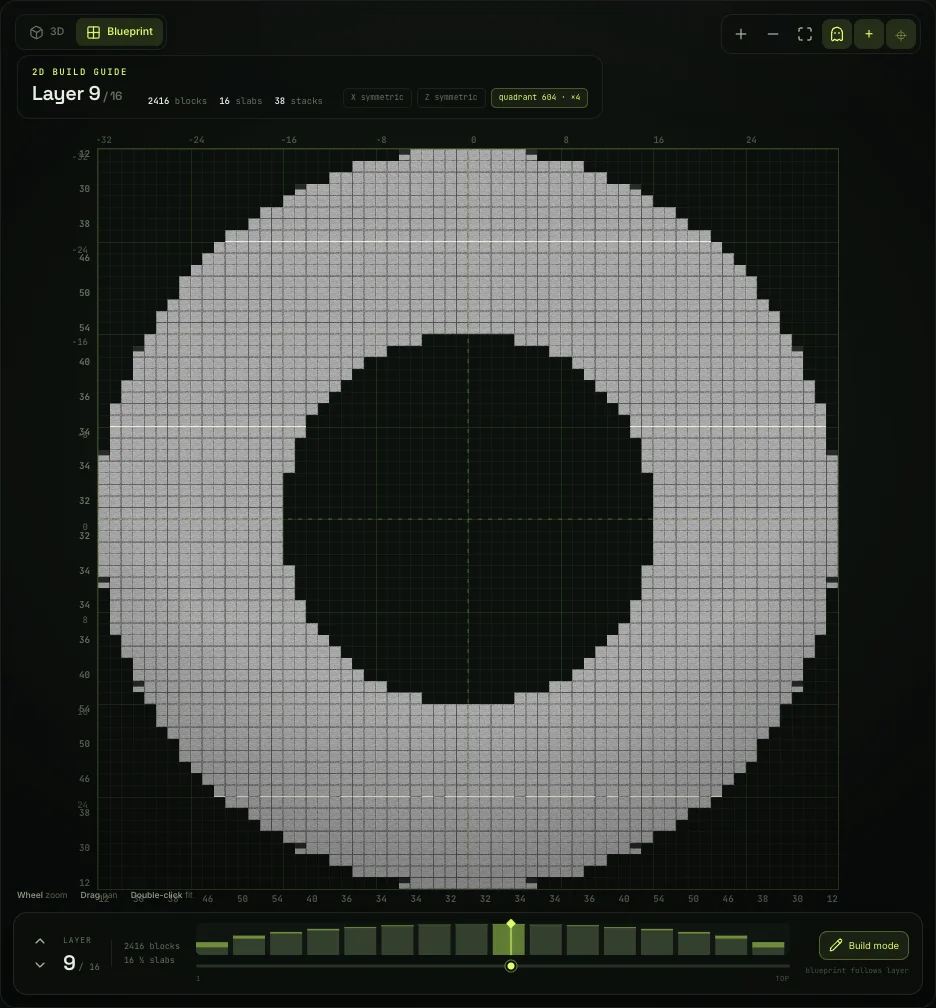
2D layer plans with slab halves, previous-layer ghosts, symmetry checks, quadrant counts and row and column totals. Build it right the first time.
Litematica, Sponge, vanilla structure blocks, block lists and layer PNGs. Slabs are written with the right block state, not approximated.
Blueprint mode
Step through every Y-level with ghosted context, slab-aware cells, symmetry badges and quadrant counts. Row and column totals tell you how many blocks belong where, before you place the first one.
Slabs + textures
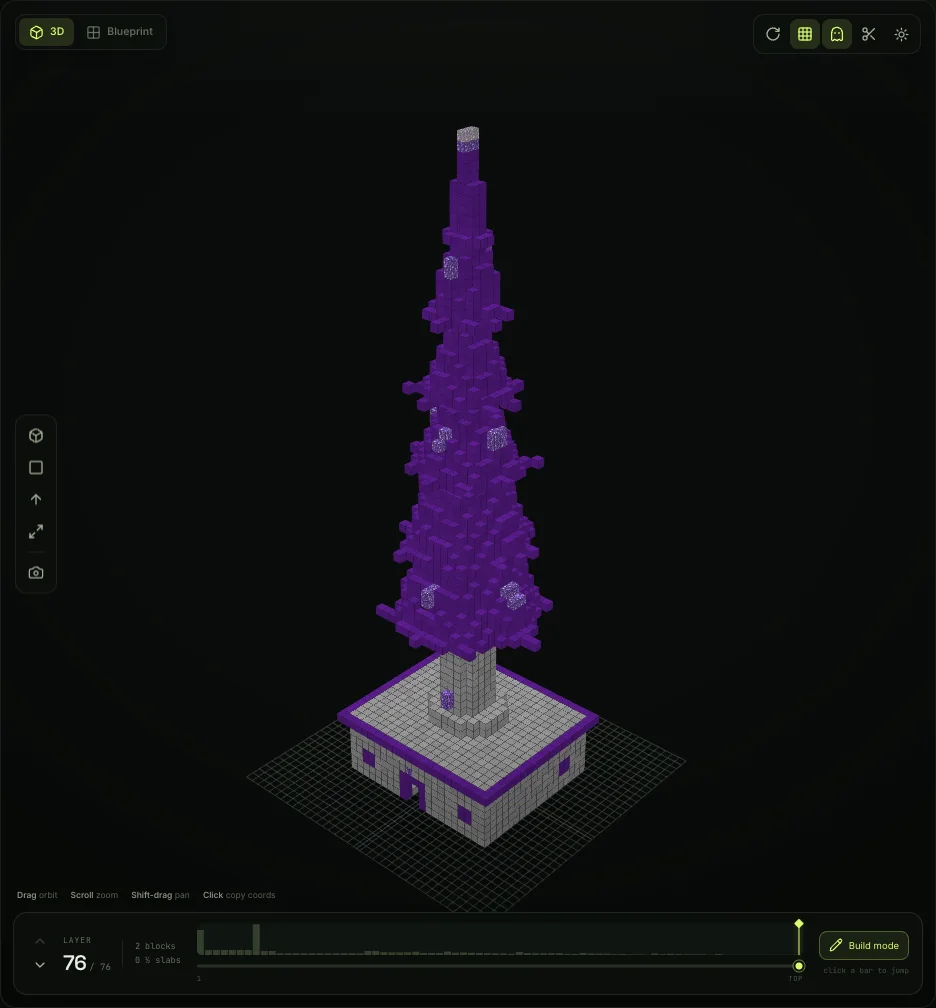
Half-slab detail doubles the vertical resolution of every curved shape. Turn on Minecraft textures and the same model reads like something already built — stone, quartz, obsidian, glass and all.
The shape library
Start with a form, then make it yours. Every card opens the studio with that shape ready to edit.
The classic, with actual curves.
Open → RoundPlanets, pods and airship hulls.
Open → RoundRound, upright or stretched into an oval.
Open → RoundHalf a sphere. All the drama.
Open → SolidGates, bridges and portal frames.
Open → StructureThe house-topping meme spire.
Open → RoundA proper 3D heart, not a decal.
Open → CurveA ribbon with one side and no chill.
Open → CurveA climbable helix with a central pole.
Open → StructureStruts, triangles and big dome energy.
Open → StructureStripes, glass and a working lantern.
Open → StructureA dome, a slit and a telescope.
Open →Exports
Take the shape into your world with the format your toolchain already speaks.
Slab-safe, 1.20.1 block states, packed long arrays. The default for big builds.
WorldEdit, FAWE and Amulet. The most widely supported modern schematic format.
Vanilla structure file. Load it into a structure block and drop it in-world.
A shopping list with full blocks, half slabs and full-block equivalents counted separately.
Every block's world coordinates for commands, spreadsheets or a custom builder.
Print the current layer with counts, coordinates and a legend for the workshop wall.
How it works
Pick a form and dial in the dimensions. Slab detail is one switch; materials are a click.
Walk the layer plan, ghost the layer below and copy exact coordinates as you go.
Download a litematic, a schematic, a structure file or a blueprint — and go place blocks.
FAQ
Yes. Shapeshift runs entirely in your browser with no account, download or paywall.
Curves are sampled twice per block vertically. When a curve cuts through a block, Shapeshift places a bottom or top slab instead of a full block, halving the stair-stepping. Exports keep the exact slab block state.
Yes. Shapeshift exports Litematica .litematic files, Sponge v2 .schem files for WorldEdit and FAWE, vanilla structure block .nbt files, block lists and layer PNGs.
No texture files are bundled. The texture toggle loads Minecraft 26.3 block textures at runtime from a public asset mirror. If the mirror is unavailable, Shapeshift falls back to flat colours.
Exports target Minecraft 1.20.1, data version 3465, for wide toolchain compatibility. The texture preview uses the latest Java release, Minecraft 26.3. Litematica, Sponge and structure-block exports include the appropriate slab properties.
Yes. The viewer supports touch orbit and pinch zoom, and the controls collapse into drawers. It is still happiest on a tablet or desktop.
Your next build
Design something with a silhouette. It takes about thirty seconds.